
Employees are overwhelmed with communication.
Between emails, chat messages, intranet updates and endless notifications in Microsoft Teams, important internal messages are often missed entirely. That is why more companies are turning to corporate lock screens as a simple but highly visible communication channel.
A corporate lock screen appears before employees log into their device or when they return after inactivity. Unlike emails buried in inboxes, lock screen messages are seen naturally throughout the working day, making them ideal for reinforcing awareness and improving communication visibility.
With Heed, companies can deliver dynamic lock screen messaging across desktops and laptops without relying on static Windows Group Policy updates or manual IT intervention.
Here are 10 effective corporate lock screen ideas organizations can use to improve employee awareness and engagement.
At a Glance
Table of Contents

Here are 10 effective corporate lock screen ideas organizations can use to improve employee awareness and engagement.
1. Promote Company Events
Town halls, webinars, charity events, awareness days and internal meetings are easy to forget when calendars are packed.
Lock screens are an effective way to keep upcoming events visible without sending repeated reminder emails. Employees naturally see the message every time they unlock their device, helping reinforce awareness throughout the day.
This works especially well for:
- all-hands meetings
- wellbeing initiatives
- training sessions
- social events
- office closures
2. Reinforce Company Values and Culture
Many companies talk about culture, but employees rarely see those messages consistently enough for them to stick.
Corporate lock screens create a highly visible space to reinforce:
- company mission
- values
- cultural campaigns
- DEI initiatives
- sustainability goals
- recognition programs
Repeated exposure helps strengthen internal branding and creates a more connected employee experience.
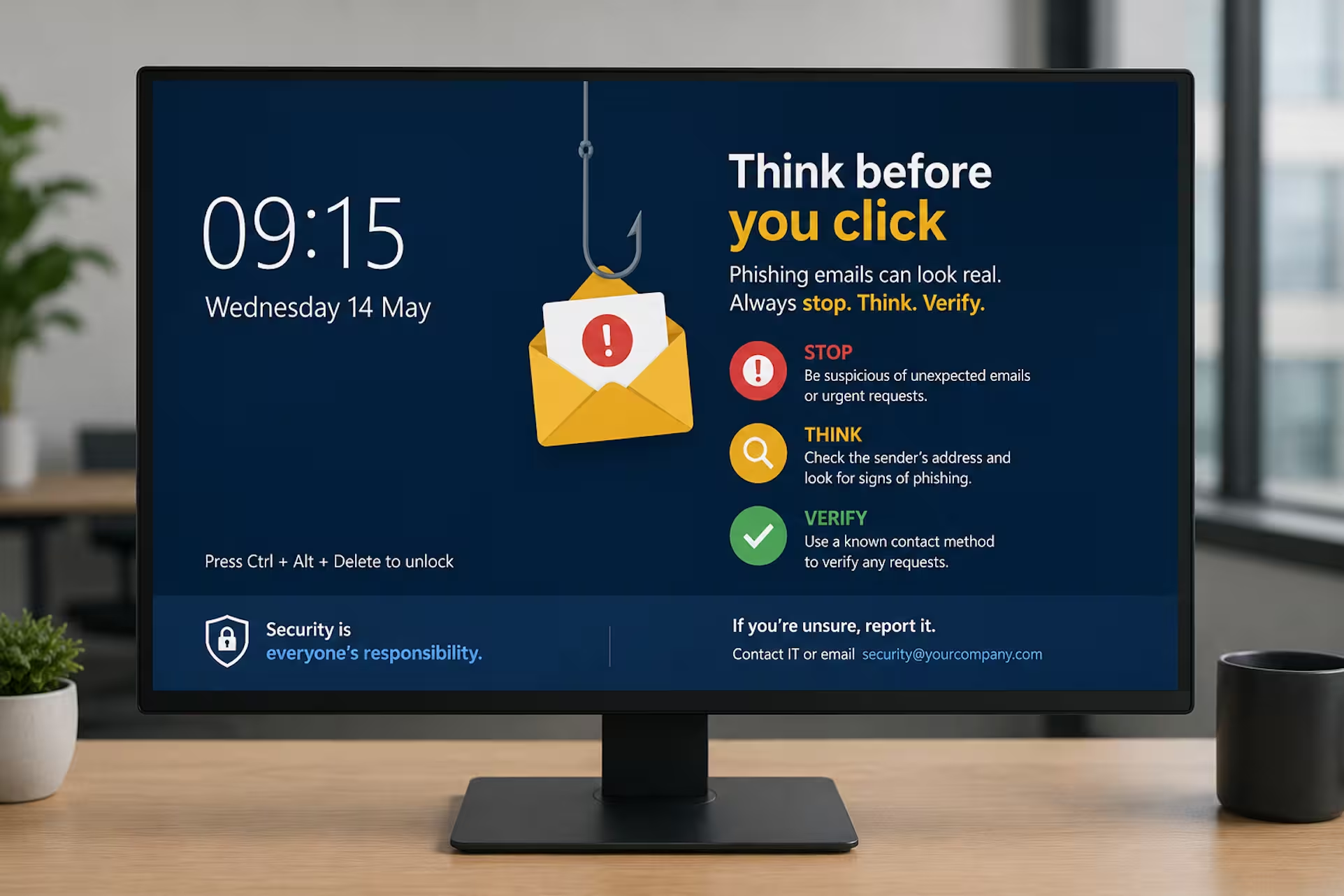
3. Improve Cyber Security Awareness
Security awareness works best when reminders are short, visual and repeated regularly.
Lock screens are ideal for promoting:
- phishing awareness
- password hygiene
- MFA reminders
- acceptable use policies
- data protection guidance
- incident reporting procedures
Many organizations already use wallpapers and desktop notifications for security campaigns. Lock screens complement these channels by reinforcing messages during login and unlock moments.
4. Support IT Incident Communications
During outages or service disruptions, employees often miss emails or fail to check service portals quickly enough.
Lock screens can help surface:
- planned maintenance windows
- outage awareness
- VPN disruptions
- network issues
- service desk notices
- operational updates
Combined with desktop alerts and pop up notifications, lock screen messaging creates a layered internal communications approach that improves visibility during operational incidents.
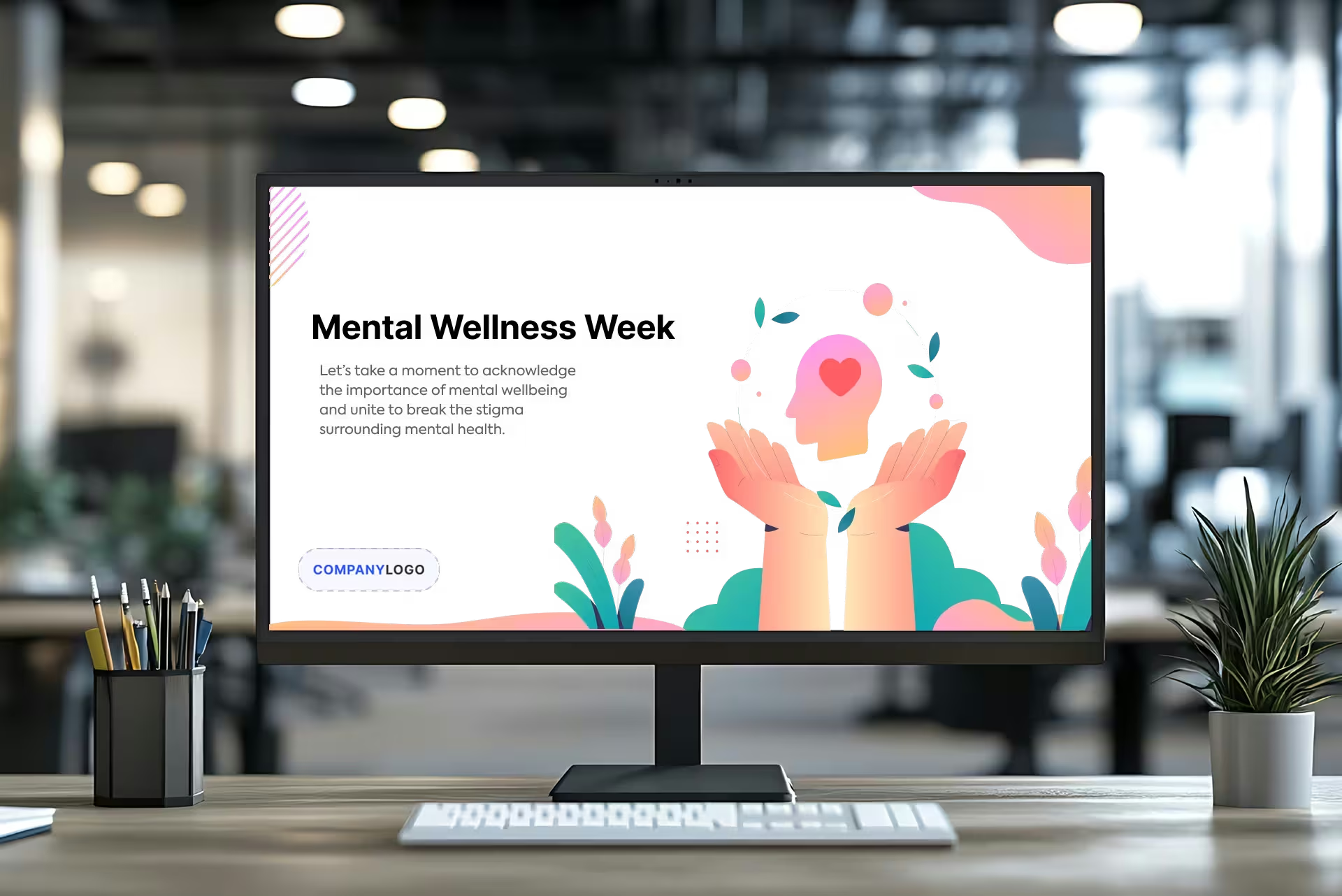
5. Encourage Employee Wellbeing
Employee wellbeing has become a major focus for internal communications and HR teams.
Lock screens can help promote:
- mental health resources
- wellbeing programs
- employee assistance services
- wellness initiatives
- flexible working reminders
- burnout awareness campaigns
Because the messages are passive and non-intrusive, they can reinforce wellbeing initiatives without overwhelming employees.
6. Drive Awareness of Policy Changes
One of the biggest communication challenges organizations face is ensuring employees actually notice policy updates.
Instead of relying solely on email announcements, lock screens can reinforce:
- HR policy changes
- compliance reminders
- mandatory training deadlines
- health and safety guidance
- workplace procedures
This is especially useful in highly regulated industries where communication visibility matters.
7. Create Product Launch Buzz
Internal product launches often struggle to gain momentum because employees are not consistently exposed to campaign messaging.
Lock screens can help build anticipation by:
- introducing countdowns
- teasing launch messaging
- reinforcing campaign branding
- highlighting key launch dates
This creates repeated awareness without disrupting workflows.
8. Celebrate Employee Achievements
Recognition is one of the most effective drivers of employee engagement.
Organizations can use lock screens to celebrate:
- work anniversaries
- sales achievements
- customer success stories
- employee awards
- milestone moments
- team accomplishments
Visual recognition campaigns help create a more positive workplace culture while increasing employee visibility across departments.
9. Improve SharePoint and Intranet Visibility
Many companies invest heavily in intranets such as Microsoft SharePoint but struggle with low engagement.
Employees simply do not check the intranet often enough.
Lock screens can help surface:
- SharePoint news
- intranet updates
- leadership announcements
- operational communications
- important reminders
When combined with desktop alerts and Teams integration, this creates a far more proactive communication strategy.
10. Support Multi-Channel Internal Communications
The most effective internal communication strategies use multiple channels together.
Lock screens work best when combined with:
- desktop alerts
- desktop notifications
- corporate wallpapers
- screensavers
- Microsoft Teams integration
- mobile notifications
Rather than replacing other communication tools, lock screens strengthen overall message visibility and awareness.
Why Companies Use Heed for Corporate Lock Screens
Unlike static Windows lock screen group policy management, Heed allows companies to create, schedule, target and manage dynamic lock screen campaigns centrally without requiring constant IT involvement.
Internal communications, HR, IT and operations teams can:
- target specific audiences
- schedule campaigns
- manage different screen resolutions
- create reusable templates
- combine lock screens with desktop alerts and wallpapers
This helps organizations improve communication visibility while reducing reliance on email overload.
Corporate lock screens are not designed to replace every communication channel.
But when used correctly, they provide a highly visible and non-intrusive way to reinforce awareness throughout the working day.
The key is keeping messages:
- visual
- simple
- high-level
- repeated consistently
Companies that combine lock screens with desktop alerts, SharePoint integration and real-time notifications are increasingly building more effective internal communication ecosystems that employees actually notice.


.svg)

.svg)





.avif)
.svg)
.svg)