
.avif)
On 9 July 2025, Microsoft suffered a roughly 19-hour Exchange and Teams outage. On 19 December 2025, a global Teams messaging-delay incident left employees across thousands of organisations unable to reach colleagues or coordinate work. In both cases, incident responders faced the same problem: the tools they were supposed to use to communicate about the outage were the tools that had gone down.
This is not a fringe scenario. It is a structural flaw that sits in plain sight at most organisations, and it only becomes obvious when something goes wrong.
This post looks at why single-provider dependency is a silent risk in internal communications architecture, what "out-of-band" communications actually means in an enterprise context, and the practical steps IT and communications teams can take to ensure they can still reach employees when cloud services fail.
At a Glance
- Microsoft 365 and Teams have suffered repeated well-documented outages in 2025, each exposing organisations that rely on a single provider for internal comms coordination.
- "Out-of-band" communications means maintaining a separate, independent channel that is not affected when your primary collaboration tools go down.
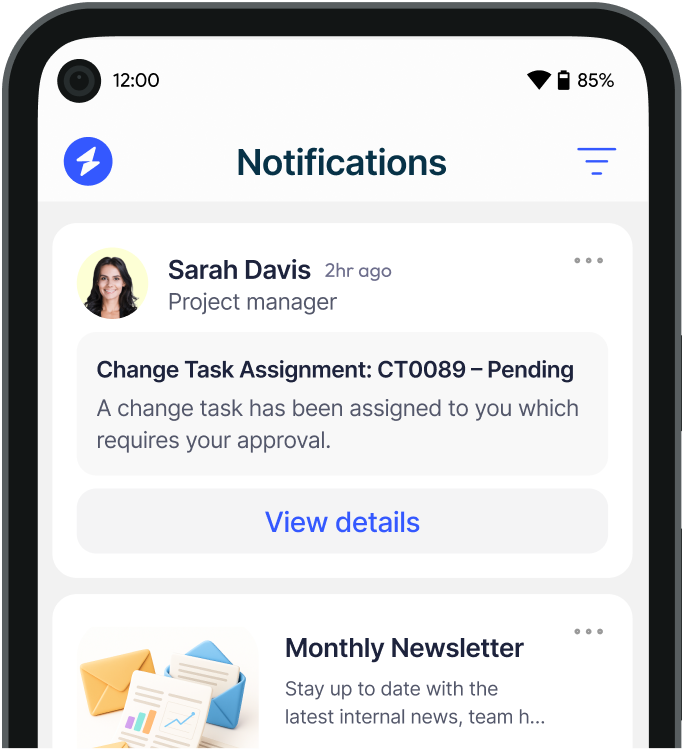
- On-premises and locally-rendered desktop alerts remain functional even when cloud services degrade, because they do not depend on internet connectivity or vendor uptime.
- Effective out-of-band architecture separates status page hosting, employee notification channels, and escalation paths from the provider most likely to be affected.
- Acknowledgement tracking is essential during outages: knowing who has seen a message matters as much as sending it.
Table of Contents
The single-provider problem
Most organisations have consolidated their internal communications onto Microsoft 365 over the past decade. Email runs through Exchange Online. Team messaging runs through Teams. File sharing runs through SharePoint and OneDrive. Video runs through Teams again.
This consolidation made sense operationally and financially. But it created a dependency that rarely appears on risk registers: if Microsoft has a service disruption, your organisation's ability to communicate internally, coordinate an incident response, or even tell employees what is happening can all disappear at once.
The July 2025 Exchange outage was a clear example. It lasted close to 19 hours. During that window, organisations that had moved entirely to Exchange Online for internal messaging had no native way to reach employees by email. And because the incident was broad enough to affect Exchange routing, even organisations using third-party email clients were impacted at the delivery layer.
A Windows Forum analysis of repeated Microsoft outages in 2025 made the point directly: over-reliance on a single provider creates a single point of failure, and when that failure arrives, employees fall back to unsanctioned apps, personal messaging tools, and phone calls, none of which are auditable, targeted, or controlled by the organisation.
What out-of-band communications actually means
"Out-of-band" is a term borrowed from network engineering. In that context, it refers to a management channel that is physically or logically separate from the data channel being managed, so that if the data channel fails, you can still access and control the infrastructure.
Applied to internal communications, out-of-band means having a notification layer that operates independently of your primary collaboration platform. If Teams is down, your out-of-band channel still works. If Exchange is unavailable, your out-of-band channel still delivers messages to employee screens.
The key requirement is independence, not just redundancy. A backup email server is not out-of-band if it routes through the same Exchange infrastructure. A second Teams tenant is not out-of-band if it depends on the same Microsoft service health. True out-of-band architecture separates the delivery mechanism, the hosting, and ideally the vendor dependency.
Why email and Teams are not out-of-band
This is the point that catches most organisations out. When asked "what would you do if Teams went down?", the common answer is "send an email". But if the Teams outage is part of a broader Microsoft 365 service disruption, email is affected too.
Microsoft's service health incidents do not always respect product boundaries. The July 2025 outage affected both Exchange and Teams simultaneously. Routing issues at the Microsoft network layer can degrade multiple services at once. This means that treating email as a fallback for Teams, or vice versa, is not a genuine out-of-band strategy: it is two channels on the same infrastructure.
The same logic applies to status pages and communication hubs hosted on Microsoft infrastructure. If you publish your incident updates to a SharePoint page and SharePoint is part of the outage, your status page is also unavailable.
Channels that survive a cloud outage
Building a genuine out-of-band layer requires identifying channels that have different infrastructure dependencies. In practice, the most reliable options for enterprise internal communications are:
Desktop alerts rendered locally: Notifications that are delivered to an installed endpoint agent and rendered locally on the employee's device do not depend on cloud connectivity to display. Even if the internet connection is degraded or Microsoft's servers are unavailable, the message appears on screen. This is particularly relevant for organisations running on-premises or hybrid infrastructure, where the communication platform itself runs on internal servers the organisation controls.
SMS and mobile push notifications via a separate provider: Mobile notification infrastructure that runs through a different vendor stack from your primary collaboration platform provides genuine independence. The key is ensuring the mobile notification service is not hosted on the same cloud provider as the tool that just failed.
Digital signage and screensavers on internal networks: For organisations with physical offices, screensavers and digital signage driven by an on-premises platform can display incident updates without any dependency on external cloud services.
Pre-defined voice and phone escalation paths: For the most critical incidents, a documented phone tree that does not depend on any digital infrastructure remains a valid fallback, particularly for small on-call teams.
Designing an independent comms layer
The most important decision is where the platform runs. A cloud-hosted notification tool that happens to use a different UI from Teams is not meaningfully independent if it runs on the same underlying cloud provider or if its delivery mechanism routes through Exchange.
For organisations in regulated industries or with strict data residency requirements, an on-premises internal communications platform addresses both the availability risk and the data sovereignty concern. The software runs on servers the organisation controls, so a Microsoft outage does not affect its ability to push alerts to employee desktops.
For organisations that prefer cloud infrastructure but want genuine vendor independence, the minimum requirement is that the notification platform and its delivery infrastructure sit outside the Microsoft ecosystem entirely: different cloud provider, separate identity layer, independent routing.
Beyond the platform decision, out-of-band architecture requires:
- A pre-built set of incident message templates so communication does not depend on someone drafting content under pressure during an outage
- Clear ownership of who can trigger emergency notifications and through which platform
- A tested escalation path that does not start with "open Teams" or "send an email"
- Regular drills that include the out-of-band channel, not just the primary tools
The acknowledgement gap
One dimension of out-of-band communications that is often overlooked is acknowledgement. During an incident, knowing that a message has been sent is not the same as knowing it has been received and acted on.
Email open rates are unreliable at the best of times. During an outage, when employees may be working from personal devices, in noisy environments, or unable to access their normal workspace, confirmation that critical messages have landed is genuinely important.
Desktop alert platforms that include acknowledgement tracking allow incident managers to see in real time which employees have confirmed receipt of a communication. This is particularly relevant for organisations managing critical infrastructure, where duty-of-care obligations or regulatory requirements mean that "we sent a message" is an insufficient audit trail.
What good looks like in practice
An effective out-of-band internal communications setup does not need to be complex. In most organisations, the minimum viable architecture looks like this:
A desktop alert platform running on infrastructure independent of Microsoft 365, able to push full-screen or ticker notifications to employee devices regardless of cloud service status. A pre-approved set of incident templates covering the most likely scenarios: unplanned outage, planned maintenance overrun, security incident, building emergency. A clear protocol for who triggers notifications and through which channel, documented outside the tools that might be unavailable. And acknowledgement tracking so incident managers can confirm reach without relying on email read receipts.
For organisations in financial services, healthcare, or other regulated sectors, this architecture also provides the audit trail that regulators increasingly expect: documented evidence that employees were notified, and when.
The Microsoft outages of 2025 were a useful reminder that the question is not whether your primary communication infrastructure will fail. It is whether you have a reliable way to reach employees when it does.
.svg)


.svg)






.avif)



.svg)
.svg)