The instinct during an emergency is to send something quickly. That is right. But what you send, and how you send it, determines whether employees know what to do or simply know that something has happened. An alert that creates panic without direction is almost as damaging as no alert at all.
Matching the alert type to the situation means thinking about three things before an incident occurs: the severity of the scenario, the audience who needs to receive it, and the channels available to reach them. Getting this right in advance, through pre-built templates and a defined tiering framework, is what allows organisations to communicate clearly under pressure rather than improvising.
Life-safety alerts cover situations where there is an immediate threat to physical safety: fire, evacuation, active threat, severe weather, or a major structural incident. These are the highest-severity alert type and should use every available channel simultaneously. The message needs to be unambiguous, brief, and action-oriented. Employees should know immediately what they are being asked to do.
Full-screen desktop alerts are particularly effective here because they override whatever is on screen and cannot be missed by employees at a workstation. SMS notifications extend that reach to employees who are away from their desks. Voice alerts cover those in areas where screens are not present.
Operational disruption alerts cover significant incidents that affect the organisation's ability to function normally but do not pose an immediate threat to physical safety. Major IT outages, cybersecurity incidents, network failures, and critical system unavailability fall into this category.
These alerts need to reach employees quickly enough to prevent wasted effort and enable workarounds, but they do not require the same all-channels approach as life-safety events. Desktop alerts are the primary channel, with SMS as a backup for field-based or off-site employees. The message should state what has happened, what employees should or should not do, and when the next update will be issued.
Some alerts are triggered not by an incident but by a regulatory or legal obligation: a mandatory acknowledgement, a policy update that must be confirmed, or a compliance deadline. These are lower urgency than operational disruption alerts but carry a different kind of consequence if they go unread.
Desktop alerts with acknowledgement tracking are well-suited to compliance notifications because they deliver the message directly and record confirmation that it has been received. This creates an audit trail that can be produced for regulators or auditors. Employee surveys can serve a similar function for more complex compliance confirmations.
IT and system status alerts keep employees informed about planned and unplanned outages, maintenance windows, and service restoration. They reduce the volume of helpdesk tickets, prevent employees from submitting duplicate incident reports, and manage expectations during recovery periods.
The desktop ticker is an effective channel for ongoing status updates during a prolonged incident: it keeps information visible without interrupting work, and can be updated in real time as the situation develops. For the initial notification of a significant outage, a desktop alert is more appropriate.
Health and safety alerts cover workplace hazards, near-misses, site closures, and safety-critical procedural changes. In construction, manufacturing, and industrial environments, these alerts may need to reach employees who are not at a workstation, making multi-channel delivery important.
For organisations managing health and safety communications across multiple sites, see the Workplace Safety Topics guide for more on structuring safety communication programmes.
Crisis alerts cover events with the potential for significant organisational, reputational, or operational impact: a data breach, a major service failure affecting customers, a significant public incident, or a scenario requiring coordinated response across multiple teams. These alerts typically involve more than a single message: they initiate an ongoing communication process that runs for the duration of the incident.
The initial alert needs to be fast and clear. Subsequent updates need to be consistent, credible, and sent through the same channels so employees know where to look. For a framework covering the full communication response to a crisis, see the Crisis Communication Plan guide.
The scenario determines the urgency; the channel determines the reach. Most workplace emergency alert systems combine several channels to ensure coverage across different employee locations and working patterns.
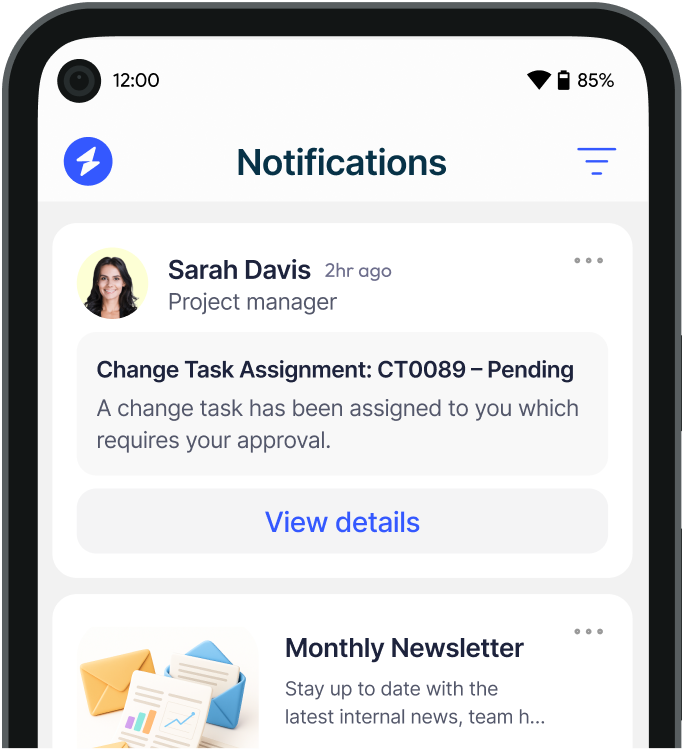
Full-screen desktop alerts appear over all open applications on an employee's computer, making them impossible to miss for anyone at a workstation. They are the highest-visibility channel for desk-based employees and can include acknowledgement requirements, action buttons, and rich content such as images or video. They are best suited to Tier 1 and Tier 2 alert types.
Pop-up notifications appear in a corner of the screen without overriding the employee's current work. They are less intrusive than full-screen alerts and better suited to Tier 3 updates where immediate action is not required. The risk is lower visibility: a pop-up can be dismissed or overlooked if an employee is focused on another task.
A scrolling desktop ticker delivers continuous low-level updates across the bottom or top of the screen without interrupting workflow. It is well-suited to ongoing status updates during a prolonged incident, keeping employees informed without requiring them to take any action.
SMS reaches employees on their personal or work mobile phones, independent of any corporate system or internet connection. It is the most reliable channel for reaching employees who are off-site, in transit, or in areas without screen access. Its limitation is length: SMS messages need to be short, which makes them better suited to immediate alerts than detailed communications.
Voice alerts deliver spoken messages either via phone call or connected speaker and PA systems. They are particularly valuable for manufacturing, warehouse and site environments where employees may not have access to a screen or mobile device during working hours.
For common areas, reception, canteens, and shared spaces, digital signage provides a broadcast channel that does not depend on individual devices. It is most effective as part of a multi-channel approach rather than as a standalone channel.
No single channel reaches every employee in every scenario. The organisations that communicate most effectively during emergencies are those that have defined in advance which channels are used for which alert types, tested that combination under realistic conditions, and pre-built the message templates that will be sent.
A practical starting point is to map your main risk scenarios against your employee population: where are employees located, what devices do they have access to, and which of those devices will still be functional if the primary systems involved in the scenario are affected? The answer to that last question is what determines your backup channel.
Heed's Emergency Alert System supports multi-channel delivery across desktop, SMS, voice, and digital signage from a single platform, with role and location-based targeting via Active Directory integration. Book a demo to see how it works in practice.
For guidance on the broader operational framework that governs when and how alerts are sent, see the Emergency Alert System guide.
See how Heed streamlines internal communication across desktop, mobile, and shared screens - so every message gets noticed.
We’ll walk you through creating, targeting, and tracking notifications in real time, tailored to your organisation’s goals.
Schedule a Demo
See how Heed works across your channels, sites and shifts, and get answers to the questions specific to your industry and team size.
Schedule a Demo




Talk to us about keeping your employees informed, engaged and inspired - book a call today!
Book a Call
Proudly connecting teams worldwide, enhancing communication, and boosting employee engagement for a unified workforce.
.svg)
.svg)
© Heed 2026 - All Rights Reserved


.svg)