Human in the loop AI is a design pattern in which an AI system pauses before a consequential action and waits for a named person to approve, reject or correct it. The AI handles the routine work at speed, while people keep authority over the decisions that carry real risk, cost or accountability.
The term originally described a step in machine learning, where people label or check training data so a model improves. That meaning still exists, but the term is now used far more often for AI agents: software that can send messages, move money, change records or call other systems on its own. In that context, human in the loop is a control, not a training technique.
The idea is simple. The hard part is making the human step work in practice: the right person has to see the request, understand it, decide in time, and leave a record of what they decided.
For most of the last decade, AI produced suggestions and people acted on them. AI agents change that relationship. An agent can draft and send a customer email, approve a refund, update a system or trigger a workflow without anyone pressing a button. When it gets something wrong, the error is no longer a bad suggestion; it is an action already taken.
Three pressures are pushing organisations to put people back into these workflows:
For a wider view of how organisations move from AI chat tools to autonomous agents, and where oversight belongs at each stage, see the three stages of AI adoption.
A human-in-the-loop workflow pauses an AI agent at a defined checkpoint, sends the pending action to an authorised person with enough context to judge it, waits for their decision, and then lets the agent continue or stop. Every step is recorded, so the organisation can show later who decided what, and when.
Most implementations follow the same six stages:
The delivery stage is where many implementations fail. Approval requests sent to a shared chat channel or an inbox can sit unseen while the agent waits, or worse, while a timeout lets it proceed anyway. The section on effective oversight below covers what this stage needs.
Human in the loop is one point on a spectrum of oversight. The right level depends on how much harm a wrong action could cause and whether it can be reversed.
Most organisations use all three, with different rules for different actions. The aim is to reserve human approval for the decisions that genuinely need it, because asking people to approve everything quickly turns oversight into rubber-stamping.
An AI agent should ask a human before any action that is irreversible, financially significant, visible outside the organisation, or that changes access to systems or data. It should also ask when it is uncertain, when the request falls outside its normal pattern, or when a regulation or internal policy requires a named approver.
Typical approval checkpoints include:
Approval policies work best when they are written down before the agent goes live and reviewed regularly. If people are approving almost every request without changes, the threshold is probably too low.
Human oversight is effective when the request reliably reaches an authorised person, gives them enough context to make a real judgement, has a clear time limit and escalation path, and produces a record of who decided and when. Without those elements, a human in the loop is a formality rather than a control.
When oversight fails, it usually fails in one of two ways: the request never properly reaches the right person, or it reaches them but they are not in a position to judge it.
The channel carrying an approval request matters as much as the decision logic. The request has to be seen rather than merely sent, tied to an authenticated individual, escalated if nobody responds, and logged. We set out these requirements in detail, and why chat tools and email struggle to meet them, in why Slack and email are not a human-in-the-loop strategy for AI agents.
A request that arrives on time can still produce a poor decision. Approvers need:
Regulators describe the risk of people deferring to automated output as automation bias, and the EU AI Act asks that people assigned to oversight remain aware of it. Every decision should also leave a usable record; our guide to audit-ready communication covers what that looks like.
In banking, human in the loop AI is used where automated decisions carry financial, regulatory or customer impact. Common examples include approving payments and refunds an agent has prepared, reviewing fraud and anti-money-laundering alerts before accounts are restricted, signing off customer communications, and confirming changes to limits, permissions or customer records.
Banks already work with maker-checker controls, where one person prepares an action and another approves it. Human in the loop applies the same principle to AI agents: the agent acts as the maker, and a named, authorised person acts as the checker. The same expectations apply to the checker step as to any other control: it must be timely, attributable and auditable.
Financial services firms also tend to need control over where approval data is held. For organisations that cannot send this information to an external cloud service, deployment model matters as much as features. See on-premises vs cloud for the trade-offs.
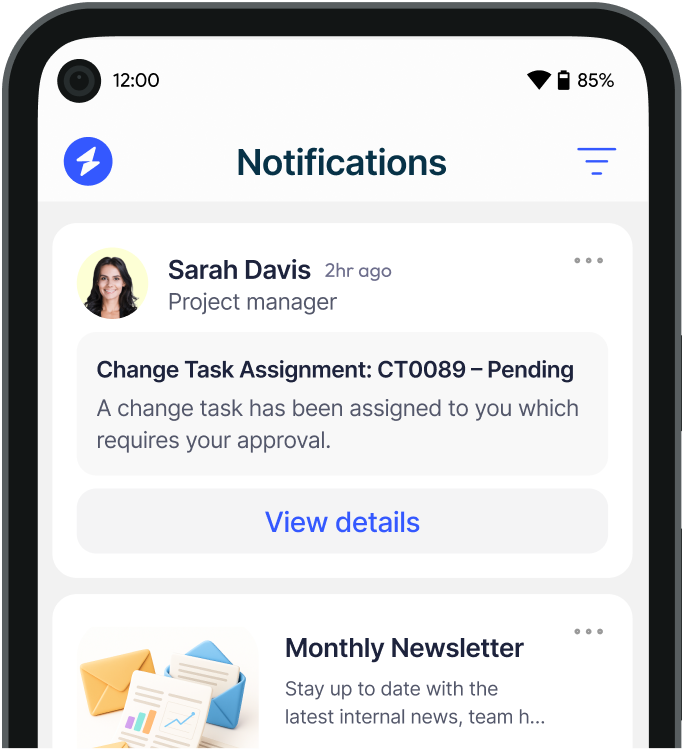
Heed is internal communication software built to make sure important messages are seen, acknowledged and recorded. The same capabilities make it a natural delivery and acknowledgement layer for human-in-the-loop approvals, sitting between an AI agent and the people who need to make a decision.
Heed does not decide which actions need approval or make an AI system compliant on its own. It provides the dependable human step that an oversight policy relies on. To see how this works alongside existing approval processes, read about Heed for approvals or book a demo.
See how Heed streamlines internal communication across desktop, mobile, and shared screens - so every message gets noticed.
We’ll walk you through creating, targeting, and tracking notifications in real time, tailored to your organisation’s goals.
Schedule a Demo
See how Heed works across your channels, sites and shifts, and get answers to the questions specific to your industry and team size.
Schedule a Demo




Talk to us about keeping your employees informed, engaged and inspired - book a call today!
Book a Call
Proudly connecting teams worldwide, enhancing communication, and boosting employee engagement for a unified workforce.

.svg)
.svg)
© Heed 2026 - All Rights Reserved
.svg)