A newsletter only works if people see it. Plan how each issue will reach employees with the same care you give to what goes in it.

What is an employee newsletter?

An employee newsletter is a regular communication, usually sent by email, that brings together company news, people stories and practical information for staff. It gives an organisation a predictable place to explain priorities, celebrate achievements and share what employees need to know, in a format that is quicker to read than a series of separate announcements.

Internal newsletters go by many names: company newsletter, staff bulletin, internal digest or team update. Whatever the name, the purpose is the same. It should help employees understand what is happening across the organisation and why it matters to them.

Why employee newsletters still matter

Employee newsletters still matter because they are one of the few channels that reach the whole organisation on a predictable schedule. Used well, they connect employees to company priorities and to each other. Used badly, they become another unread email, which is why content and distribution both need planning.

The case for getting this right is strong. Gallup's State of the Global Workplace 2025 report found that global employee engagement fell to 21% in 2024, with Europe, including the UK, recording the lowest regional level. Clear, regular communication about what the organisation is doing and why is not a complete answer to disengagement, but it is one of the few levers internal communicators control directly.

The common problem is not a lack of newsletters. It is newsletters that are long, irregular and easy to ignore. The ideas and examples below are designed to address that.

What should an employee newsletter include?

A good employee newsletter includes one lead story on a company priority, a people section, practical information employees need to act on, and a way for readers to respond. Keeping these sections consistent from issue to issue makes the newsletter faster to read and easier to produce.
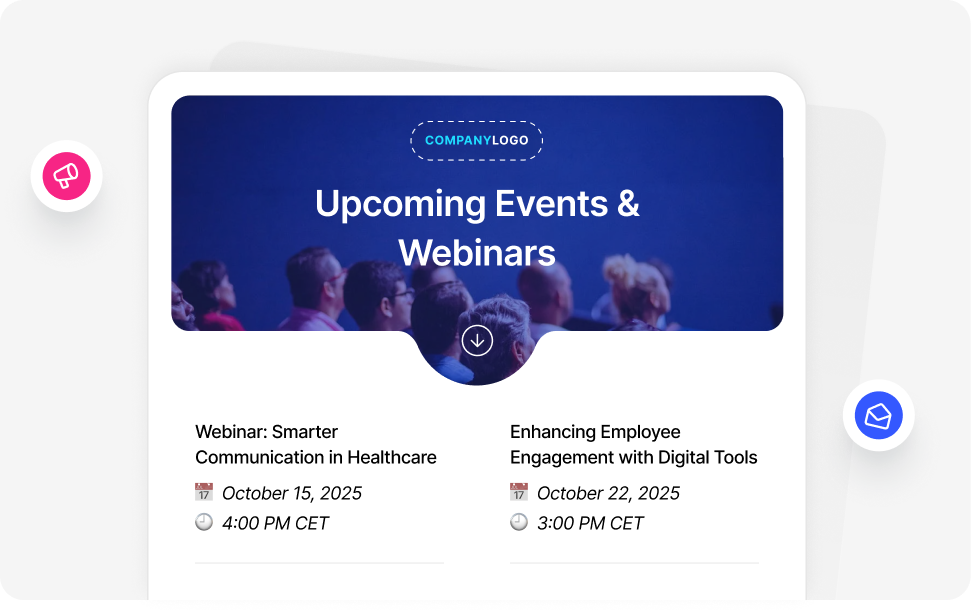
Employee newsletter layout combining company news, upcoming events and team updates
A consistent layout helps employees find what matters to them quickly.

1. A lead story

One substantial item on the most important thing happening in the organisation this month, written to explain what it means for employees rather than simply what was decided.

2. People and recognition

New starters, promotions, work anniversaries and specific recognition of achievements. This is often the most-read section, because it is about colleagues employees know.

3. Need-to-know information

Deadlines, policy changes, system updates and events, kept short and linked to the full detail elsewhere.

4. A way to respond

A poll, a question or an invitation to submit stories. Two-way elements show employees that the newsletter is listening as well as talking.

Employee newsletter ideas

The best employee newsletter ideas are specific to your audience, easy to produce every issue, and give employees a reason to keep reading. The ideas below are grouped by purpose so you can build a balanced mix rather than relying on the same type of content each time.

Company news and strategy

  • Leadership in plain English: a short message from a senior leader explaining one decision and its reasoning, rather than a general update.
  • Results in context: quarterly or monthly performance, explained in terms of what it means for teams.
  • Project progress: a regular update on one major initiative, so employees can follow it over time.
  • Ask the leadership team: answers to questions submitted by employees in the previous issue.
  • Customer stories: how the organisation's work made a difference to a customer, told from the team's perspective.

People and culture

  • New starter introductions: name, role, team and one personal detail, so colleagues know who to welcome.
  • Specific recognition: what someone did, the problem it solved and the difference it made, rather than a list of names.
  • A day in the life: a short profile of a role or team that others rarely see.
  • Milestones: work anniversaries, qualifications completed and promotions.
  • Internal vacancies: open roles shared with employees before or alongside external advertising.

Learning and development

  • Upcoming training: courses and sessions in the next month, with a direct link to book.
  • One useful tip: a short how-to on a tool or process most employees use.
  • Lessons learned: what a team learned from a recent project, including what did not go to plan.
  • Reading or listening recommendations: suggested by employees rather than the communications team.

Two-way communication

  • One-question polls: quick to answer, with results shared in the next issue.
  • You said, we did: a regular section showing actions taken in response to employee feedback.
  • Story submissions: a standing invitation for employees to nominate colleagues or share news from their team.
  • Pulse survey links: short surveys on a single topic, with the findings reported back. For more on running these, see how to measure employee sentiment in real time.

Wellbeing and safety

  • Wellbeing resources: reminders of the employee assistance programme and other support available.
  • Safety focus: one safety topic per issue, relevant to the season or recent incidents. The Workplace Safety Topics guide has a ready list to draw from.
  • Policy reminders: one policy at a time, explained briefly with a link to the full text.

Lighter content

  • Photo of the month: submitted by employees from events, sites or volunteering.
  • Quizzes and puzzles: a short quiz about the organisation or a recent issue.
  • Charity and volunteering: updates on fundraising and community work, with a way to take part.

Example employee newsletter layouts

Example layouts are most useful when they match your organisation's size, workforce and pace. The three layouts below show how the same principles adapt to different settings. Each is a structure to adapt, not a fixed template. To see finished newsletters built in Heed, browse our company newsletter examples.

Example 1: monthly all-company newsletter for a large office-based organisation

  • Lead story: one strategic priority explained by the executive who owns it.
  • Numbers that matter: three figures with one sentence each on what they mean.
  • People: new starters, promotions and two recognition stories.
  • Need to know: four short items linking to the intranet.
  • Your say: one poll, with last month's results.

Distribution: email to all staff, with a desktop alert on the day of publication linking to the issue for employees who do not open it within a few hours.

Example 2: weekly update for a frontline or multi-site workforce

  • This week: three short items that affect shifts, sites or safety.
  • Site spotlight: one location or team, with photographs.
  • Safety focus: one topic, two sentences, one action.
  • Shout-outs: recognition submitted by supervisors.

Distribution: digital signage in break areas and a mobile app notification, because many frontline employees do not have a work inbox they check regularly.

Example 3: fortnightly department newsletter, for example IT or HR

  • What is changing: upcoming system changes or policy updates, with dates.
  • How to: one practical tip.
  • Known issues: current problems and workarounds.
  • Team news: people updates from the department.

Distribution: email to the affected audience only, with a ticker headline for time-sensitive items.

How often should you send an employee newsletter?

Most organisations send an all-company newsletter monthly, with weekly or fortnightly editions for fast-moving teams or frontline updates. The right cadence is the one you can sustain: a newsletter that arrives reliably on the same day builds a reading habit, while an irregular one is easily ignored.

Set a fixed publication day, agree content deadlines with contributors, and keep a short list of evergreen items, such as a tip or a profile, to fill gaps in quieter months.

How to make sure your newsletter gets read

To make sure an employee newsletter gets read, distribute it through the channels employees already pay attention to, not only email. A short headline on the desktop, a screensaver or a digital sign in a shared space can direct employees to the full issue, and gives everyone the key message even if they never open it.
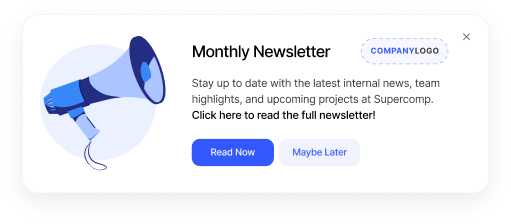
Desktop notification on an employee's screen announcing the latest company newsletter
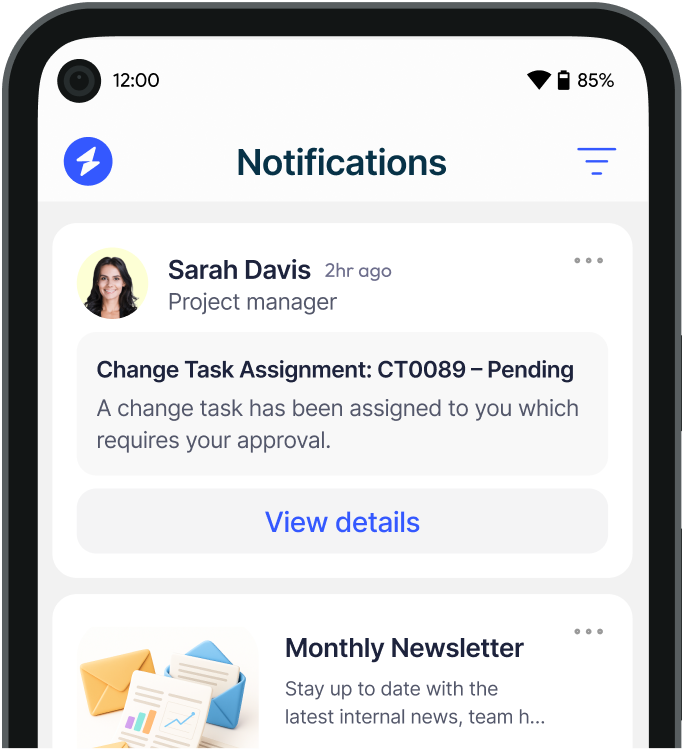
A desktop notification on publication day reaches employees who do not open the email.
  • Desktop alerts: a brief notification on publication day, linking to the issue. Desktop alerts appear on screen rather than waiting in an inbox.
  • Desktop ticker: the lead headline scrolling across the screen for the first few days after publication, using a desktop ticker.
  • Screensavers: a visual summary of the lead story on idle screens, using corporate screensavers.
  • Digital signage: the highlights on screens in shared spaces for employees away from a desk, using digital signage.
  • Mobile: a push notification for employees who work on the move.

Layout matters too. Put the most important item first, keep each item to a headline and two or three sentences, and link to detail elsewhere. For more on getting employees to engage with what you send, see 5 ways to get employees to engage with content.

How to measure your employee newsletter

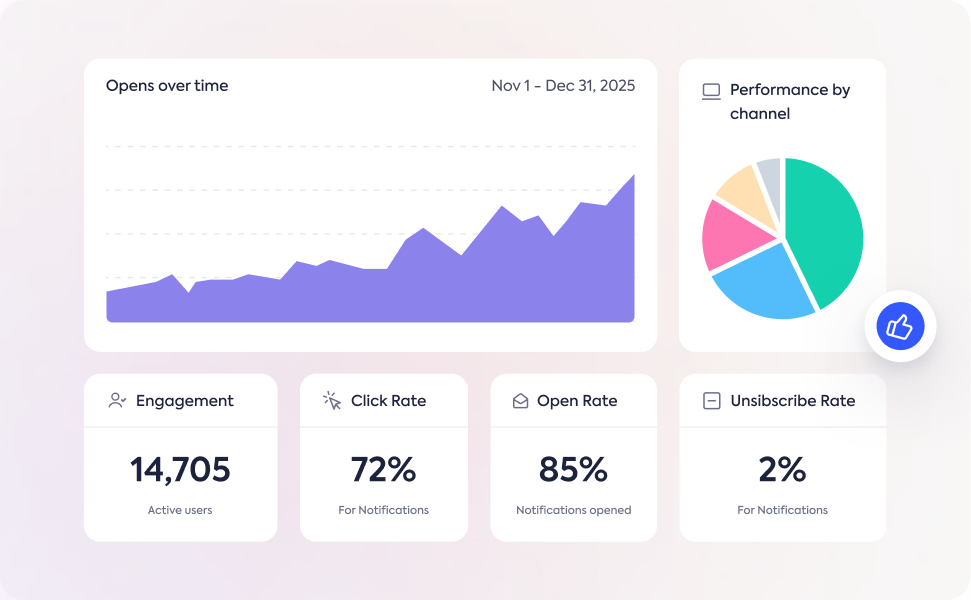
Measure an employee newsletter with open and click-through rates per issue and per section, tracked over several months, alongside direct feedback from readers. The most meaningful measure is whether the newsletter prompts action, such as event sign-ups or completion of a required task.
Newsletter analytics dashboard showing open rates, clicks and top-performing content
Track opens and clicks by section to see which content employees value.
  • Open rate: the share of recipients who open each issue. Watch the trend, not individual issues.
  • Clicks by section: which sections employees engage with, so you can do more of what works.
  • Audience differences: how engagement varies by department, location or role.
  • Feedback: a one-question poll in each issue and a short annual survey using a tool such as Heed Survey.

Heed and employee newsletters

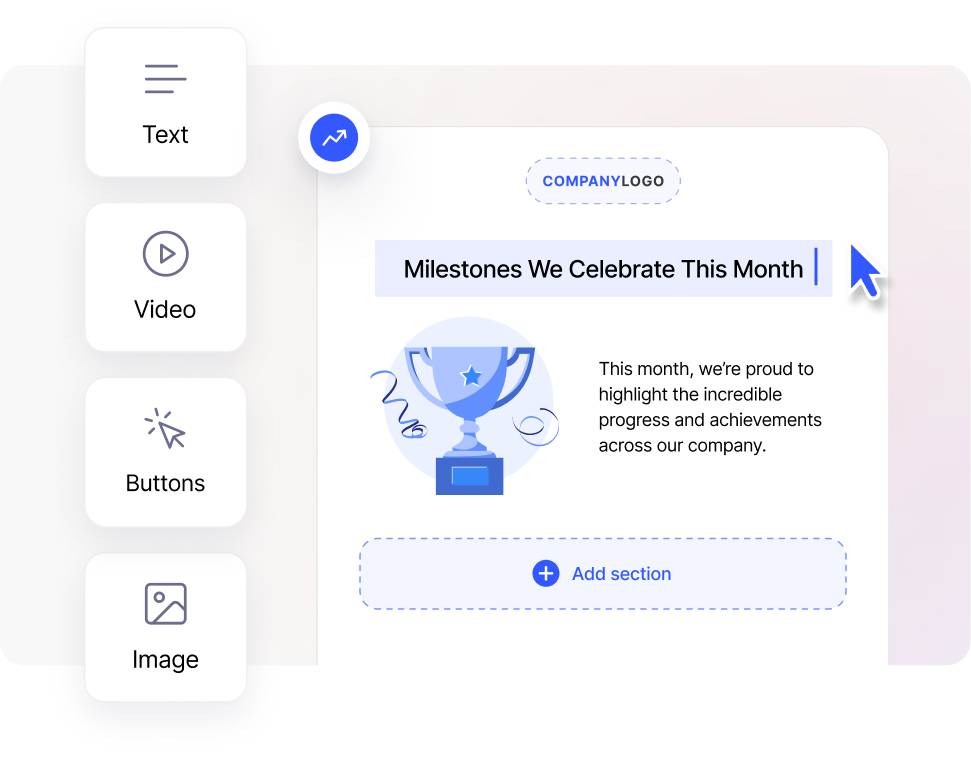
Heed drag-and-drop newsletter editor with content blocks for text, images and polls
Build each issue from reusable blocks, or start from a template.

Heed Company Newsletter gives internal communicators a drag-and-drop editor, reusable newsletter templates and targeted delivery, with tracking for opens and click-throughs. Because Heed is a multi-channel internal communication platform, the same team can promote each issue through desktop alerts, the desktop ticker, screensavers and digital signage, so the newsletter reaches employees who would otherwise miss it.

Heed supports on-premises deployment and regional cloud options and is ISO 27001 certified, which suits organisations in financial services, healthcare and government with strict data requirements. Book a demo to see how it works in practice.

See Heed in Action

See how Heed streamlines internal communication across desktop, mobile, and shared screens - so every message gets noticed.

We’ll walk you through creating, targeting, and tracking notifications in real time, tailored to your organisation’s goals.

Schedule a Demo

Book a demo

See how Heed works across your channels, sites and shifts, and get answers to the questions specific to your industry and team size.

Schedule a Demo

Cta Image
Icon

FAQ

Common Questions

Common questions about planning and running an employee newsletter.

Contact Us

What should an employee newsletter include?
Faq Icon
How often should a company send an internal newsletter?
Faq Icon
How long should an employee newsletter be?
Faq Icon
How do you measure whether an employee newsletter is working?
Faq Icon
How do you reach employees who do not read email?
Faq Icon
Trusted by leading enterprise organisations
Brand LogoBrand LogoBrand LogoBrand LogoBrand Logo

Let's have a chat

Talk to us about keeping your employees informed, engaged and inspired - book a call today!

Book a Call
Cta Image