

Modern workplaces are full of communication tools.
Most organisations already use platforms like Microsoft Teams, Microsoft SharePoint, intranets, email, desktop notifications and mobile apps to keep employees informed. The challenge isn’t a lack of communication channels - it’s that too many of them operate separately.
As businesses adopt more technology, communication can quickly become fragmented. Important updates are buried in busy Teams channels, emails go unread and employees are expected to know where to find information depending on the type of message being shared.
Over time, this creates noise rather than clarity.
That’s why more organisations are looking for an internal communications tool that can connect these systems together rather than adding yet another standalone platform for employee communication.
At a Glance
- Modern workplaces rely on multiple communication platforms including Microsoft Teams, Microsoft SharePoint, intranets, email, and desktop notifications
- Disconnected communication tools often lead to missed messages, duplicated content, and lower employee engagement
- Integrated internal communication tools help organisations deliver more consistent and visible communication across channels
- Teams integration allows important updates and alerts to appear directly within employees’ daily workflows
- SharePoint integration helps extend the visibility of intranet news and company announcements beyond the intranet homepage
- Desktop alerts, pop up alerts, desktop notifications, and desktop tickers improve visibility for urgent or time-sensitive communications
- Corporate wallpapers, lock screens, and desktop background software can reinforce messaging throughout the working day
- Enterprise deployment tools such as Intune and Group Policy help IT teams roll out communication tools securely at scale
- Integrating internal communications platforms reduces communication silos and improves the employee experience
- Heed helps organisations connect Teams, SharePoint, desktop alerts, and other communication channels into a more unified communication ecosystem
Table of Contents
The Problem with Disconnected Communication
Most organisations don’t intentionally create disconnected communication experiences. It usually happens gradually as new tools are introduced to solve different problems across the business.
IT teams may use one platform for alerts, HR another for company updates and operational teams something completely different. Individually, these tools can work well but together, they often create a disjointed experience for employees.
From an employee perspective, communication becomes harder to follow. Information is spread across multiple systems, messages are repeated in different places and critical updates can easily be missed.
This is particularly challenging during important moments such as IT outages, operational incidents or urgent business announcements where visibility and speed are essential.
That’s where connected communication channels such as pop up desktop notifications, desktop scrolling tickers, corporate lock screens and integrated collaboration tools become increasingly valuable.
Employees Care About Accessibility, Not Platforms
Employees rarely think about communication tools in the same way organisations do.
They don’t necessarily care whether an update came from SharePoint, Teams, an intranet platform or an email system. What matters is whether the information reached them quickly, clearly and in a way that fits naturally into their workflow.
The most effective internal communication strategies focus less on individual platforms and more on creating a connected experience across them.
That’s where integrations such as a MS Teams integration and a SharePoint integration can make a major difference.
Why Microsoft Teams and Microsoft SharePoint Matter So Much
For many organisations, Teams and SharePoint have become central to day-to-day operations.
Teams is where conversations happen, collaboration takes place and employees spend a large part of their working day. SharePoint often acts as the organisation’s knowledge hub, housing company news, documentation, policies and intranet content.
The challenge is that important communication can still get lost between the two.
A company announcement published in SharePoint may never be seen unless employees actively visit the intranet. At the same time, critical messages posted in Teams can quickly disappear beneath ongoing conversations and notifications.
Without integration, employees are often expected to move between platforms to stay informed and in reality, that doesn’t always happen consistently.
How Heed Supports Teams Integration and SharePoint Integration
Heed is designed to work alongside existing communication tools rather than replace them.
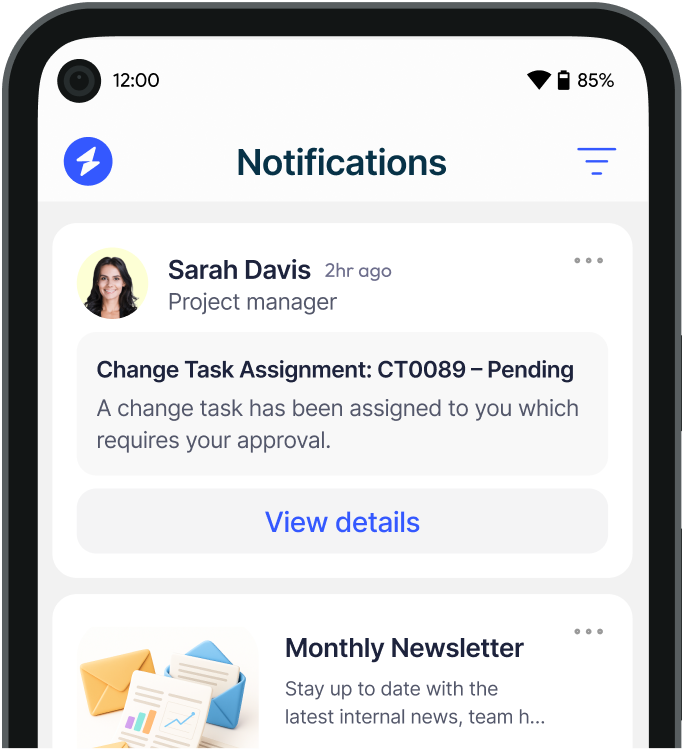
By integrating Teams with Heed, organisations can surface important communications directly within the environment employees already use every day. Instead of relying solely on email or hoping employees see a post in a busy channel, Heed helps ensure important updates remain visible and accessible.
For example, IT alerts, operational updates or company announcements can be delivered through:
- Desktop Alerts
- Video Alerts
- Desktop Tickers
- Mobile Alerts
- Teams messaging workflows
- Desktop Backgrounds (Corporate Wallpapers)
- Corporate Lock Screens
- Company Screensavers
This helps reduce the likelihood of critical messages being missed.
Heed’s SharePoint integration also helps organisations extend the reach of intranet content. News and updates published in SharePoint can be surfaced across additional communication channels such as Heed's pop-up notifications, helping employees stay informed without needing to be proactive and constantly visit the intranet manually.
This creates a more connected communication ecosystem where content doesn’t remain isolated within a single platform.
Extending Communication Beyond Traditional Channels
Modern internal communication is no longer limited to email and intranet pages.
Many organisations are now looking at additional communication methods such as corporate wallpapers, lock screens and screensavers using desktop background software
These channels can be especially effective for reinforcing key messaging, security reminders, company updates and operational communications throughout the working day.
Because these communications appear directly on employee devices, they often achieve far greater visibility than traditional email alone.
For IT teams, Heed desktop background software can also help streamline deployment as the Communications and Marketing teams can update screensavers themselves rather than using Group Policy.
Creating a More Connected Employee Experience
When communication tools are integrated properly, the employee experience improves significantly.
Employees no longer need to remember where certain updates are posted or switch constantly between systems to stay informed. Communication becomes more seamless, more visible and more consistent across the organisation.
For internal communications and IT teams, integration also reduces duplication and manual effort. Instead of recreating messages across multiple platforms, communication can flow more efficiently between systems.
That means teams spend less time managing channels and more time focusing on the quality and impact of communication itself.
Making Better Use of Existing Technology
Many organisations already invest heavily in tools like Microsoft Teams and Microsoft SharePoint. The issue is often not the tools themselves, but how disconnected they are from broader communication strategies.
Integrated communication platforms help organisations maximise the value of existing technology investments rather than replacing them entirely.
By connecting systems together, businesses can improve visibility, streamline workflows and create more effective communication processes without introducing unnecessary complexity.
The future of internal communication isn’t about adding more platforms. It’s about creating better-connected experiences between the tools already in place.
When communication systems work together, employees spend less time searching for information and more time engaging with it. Messages become clearer, communication becomes more effective and organisations are better equipped to keep employees informed and aligned.
Ultimately, integrated internal communications help turn disconnected tools into a connected employee experience.


.svg)


.svg)






.avif)


.svg)
.svg)