A human in the loop AI workflow is a sequence of steps in which an AI agent stops before a consequential action, sends the details to an authorised person, and waits for that person to approve, reject or amend it. The agent then continues or stops based on the decision, and every step is recorded for later review.
The human in the loop AI guide explains what the term means and when an agent should ask a person. This page goes one level deeper: the individual steps of the workflow, how common agent and automation platforms pause for approval, what an approval request should contain, and how to handle the cases where nobody answers.
The diagram shows the seven steps most human-in-the-loop implementations share, with the two branches that matter most in practice: low-risk actions that skip approval, and requests that escalate when the approver does not respond.
Steps 4 and 5 are highlighted because they are where most workflows fail. The logic that pauses an agent is usually reliable; the human step that follows it often is not.
Human-in-the-loop workflows work by inserting a checkpoint between an AI agent deciding to act and the action taking place. At the checkpoint the agent saves its state, a request is sent to a named approver, and the agent waits. The decision is passed back, the agent resumes or stops, and the whole exchange is logged.
Each step has a specific job:
Most AI agent and automation frameworks pause for human approval by suspending the run, saving its state, and exposing a pending task that an outside system can resolve. A separate call then resumes the run with the person's decision. The pause mechanism is built in; delivering the request to a person is left to you.
| Platform | How it pauses | How it resumes |
|---|---|---|
| LangGraph | An interrupt() call pauses the graph; a checkpointer is required to persist state while it waits | The graph is resumed with Command(resume=...) carrying the human input (LangGraph documentation) |
| OpenAI Agents SDK | Tools marked with needs_approval pause the run and list pending items as interruptions | Each item is approved or rejected on the saved run state, then the run continues (OpenAI Agents SDK documentation) |
| AWS Step Functions | A task using .waitForTaskToken pauses and issues a task token | An external process returns the token with SendTaskSuccess or SendTaskFailure (AWS documentation) |
| UiPath (RPA) | A human-in-the-loop step suspends the automation and creates a task in Action Center | The reviewer submits an outcome, such as approve or reject, and the automation continues on that path (UiPath documentation) |
The pattern is the same across all four: the framework handles pausing and resuming, but it does not guarantee that a person sees the request. That is a delivery problem, and it sits outside the agent framework.
Two implementation details catch teams out. First, some frameworks re-run code that came before the pause when they resume; LangGraph, for example, restarts the node that called interrupt(), so side effects should sit after the pause or in a separate step. Second, a pause that can last for days needs durable storage, not memory that disappears when a server restarts.
An approval request should contain everything the approver needs to make a real judgement in one place: what the agent wants to do, why, the data it is acting on, the consequence of approving, the deadline, and the options available. It should also carry a unique identifier linking the decision back to the paused task.
Keep requests short enough to read in under a minute. If approvers routinely open three other systems before deciding, the request is missing context.
If nobody approves the request, the workflow should escalate it to a backup approver after a set time and, if that also fails, stop the action and record that it timed out. An unanswered request should never approve itself, because a default approval turns the human step into a delay rather than a control.
This is known as failing closed. Some platforms make it straightforward to configure: AWS Step Functions, for example, supports a heartbeat timeout so a waiting task fails rather than waiting indefinitely (AWS documentation). Whatever the platform, decide in advance:
Deadlines should reflect the business impact. A refund can usually wait until the next working day; a request to block a suspicious payment may need an answer within minutes.
Regulation is pushing in the same direction. For high-risk AI systems, the EU AI Act requires that people assigned to oversight can decide not to use the system's output and can intervene in or stop its operation (Regulation (EU) 2024/1689, Article 14). A workflow that cannot reliably reach those people makes that harder to show.
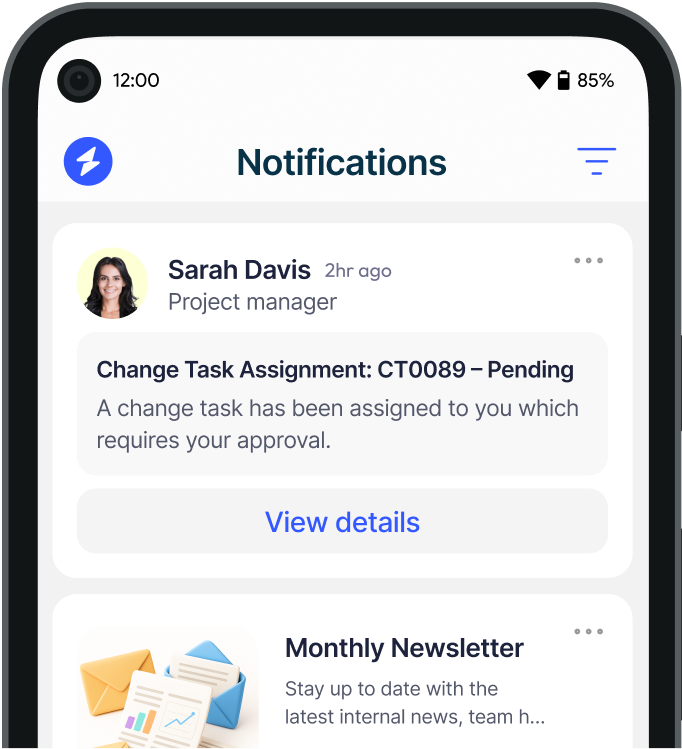
Heed is internal communication software built to make sure important messages are seen, acknowledged and recorded. In a human in the loop AI workflow it handles steps 4 and 5: getting the approval request in front of the right person and capturing a named, timestamped response.
Heed does not decide which actions need approval, and it does not make an AI system compliant on its own. It provides the dependable human step that an approval policy relies on. For the bigger picture of where oversight belongs as AI use matures, see the three stages of AI adoption, or book a demo to see the approval flow in action.
See how Heed streamlines internal communication across desktop, mobile, and shared screens - so every message gets noticed.
We’ll walk you through creating, targeting, and tracking notifications in real time, tailored to your organisation’s goals.
Schedule a Demo
See how Heed works across your channels, sites and shifts, and get answers to the questions specific to your industry and team size.
Schedule a Demo


Talk to us about keeping your employees informed, engaged and inspired - book a call today!
Book a Call
Proudly connecting teams worldwide, enhancing communication, and boosting employee engagement for a unified workforce.



© Heed 2026 - All Rights Reserved