Microsoft has published its post-incident report on the outage that took Outlook away from organisations around the world on 12 and 13 November 2026. The Microsoft 365 outage root cause was a software defect in Microsoft's own networking gateway, which had been in place since July. That detail matters to Microsoft's engineers. For everyone else, the report confirms something simpler: the tools most organisations use to tell people about an outage were part of the outage.
This post covers what the report says, why email cannot be the channel you rely on to notify staff or customers, and what it means to run a notification tool outside the infrastructure it reports on. It reflects Microsoft's preliminary report, dated 15 November 2026. Microsoft has said a final report with a full list of repair items will follow.
At a Glance
- Microsoft attributes the outage to a latent software defect in its networking gateway, introduced by a fix rolled out from July 2026. The impact lasted 23 hours and 50 minutes.
- Email cannot announce that email is down, and chat on the same platform is not a fallback because it shares the same dependencies.
- A notification tool is only independent if its delivery, hosting and sign-in all sit outside the platform you are planning around.
- Communication needs its own recovery time objective: how many minutes can pass before every employee knows what is happening?
Table of Contents
What caused the Microsoft 365 outage in November 2026?
Microsoft's preliminary post-incident report attributes the outage to a latent software defect in its own networking gateway, introduced by a fix that began rolling out in July 2026. Under load, the defect overwhelmed the gateway servers that sit in front of Exchange Online. The impact ran from 16:20 UTC on 12 November to 16:10 UTC on 13 November 2026.
The report describes three things coming together, as The Register's account of the report sets out:
- A hidden defect. Under certain load, tasks inside a Windows process on the gateway servers waited on each other until the server ran out of processor and memory and stopped responding.
- Extra load. About 15 hours before the outage, Teams traffic failed over to the gateway that also serves Exchange Online.
- Reduced capacity. Nearly 14% of the gateway's servers were already out of service because of an unrelated issue.
Microsoft says the gateway had enough headroom, but the combination pushed it into the defect. As traffic was moved to healthy servers, they failed in the same way. At the lowest point, more than 80% of the servers were unresponsive, and restarted servers were overwhelmed again as soon as traffic returned.
The fix had run worldwide for more than three months without a problem. Microsoft's load testing had focused on weaker hardware with fewer cores, and the defect is worse on newer machines with more cores.
During the incident, Microsoft's status updates pointed to an overwhelmed secure-connection process and to a recent network configuration change. A published timeline of those updates shows how the explanation changed over the first day. The report traces the cause further back, which is why a simple rollback was not available. Engineers had to build an update that returned the connection-handling code to its previous known good state, and began applying it at 07:20 UTC on 13 November.
Microsoft has confirmed that the outage was not a cyber attack. It says it has since added capacity, added monitoring for traffic redirection and connection health, and put guardrails on traffic distribution to limit cascading failures. A summary of the preliminary report lists these actions, and Microsoft has said a full list of repair items will follow in its final report.
The full report is available to administrators in the Microsoft 365 admin centre under incidents EX1550543 and MO1550821. Microsoft's Charles Lamanna has also posted an abridged version.
Our earlier post covers the timeline of the outage and its impact on UK public services.
Why the root cause is not the real lesson
This was the second major Microsoft 365 outage in under three months. The first ran from 31 August to 3 September 2026, and Microsoft attributed it to a core authentication configuration used by multiple Microsoft 365 services. The two incidents had different causes and the same effect: email and the tools around it became unavailable together.
The report is candid about how this one got through. The defect passed testing and ran unnoticed for more than three months. Microsoft says its automated recovery was not designed to bring the service back from such a widespread unresponsive state. A separate issue stopped the safeguards that should have contained the failure from doing so, and it spread worldwide.
Microsoft will fix this fault. It cannot promise there will never be another, and neither can any other large platform. Planning around a specific root cause prepares you for the outage that has already happened. Planning around the dependency prepares you for the next one.
Why can you not rely on email to tell people about an outage?
Email is usually part of the platform that has failed, so the warning cannot be delivered when it is needed. Messages queued during an outage arrive hours late and out of order. Even on a normal day, email gives no proof that anyone has read it. A notification channel has to work at the moment the others do not.
The November outage showed five separate ways email lets you down. The details below come from Microsoft's report and a published record of its incident updates.
- The message travels through the fault. The gateway that failed sits in front of Exchange Online. According to the report, Teams, SharePoint and OneDrive were able to move traffic away from it, but Exchange Online could not, for reasons of scale. Email was the service left behind. An incident notice sent by email joined the same queue as every other message, and people could not open their mailboxes to read it.
- Late messages mislead. Delayed mail is not lost. Microsoft extended its delivery window so that queued messages would still arrive once service returned. An instruction written in the first hour that lands a day later tells people to act on a situation that has already changed.
- The fallback shares the failure. Many continuity plans say that if email fails, the team will use Teams. Microsoft listed Teams calendar and meeting scheduling among the affected features, along with parts of SharePoint and Copilot, because they depend on Exchange Online. Two channels on one platform behave as one channel when that platform has a fault.
- Automated alerts stop too. Monitoring and service desk tools often raise the alarm by email. Requests to Microsoft Graph for mail were timing out, so scripts and integrations that rely on mailboxes failed with it. The systems meant to tell IT that something is wrong can go quiet at the same moment.
- Email cannot tell you who knows. Sending is not the same as informing. During an incident, the question is which teams and sites have seen the message. Email does not answer that, even when it is working.
Microsoft's own service health notifications make the point. They are sent by email, so administrators who want them during an outage need at least one delivered to an address outside Microsoft 365.
The same applies to customers
If your organisation sends service notices to customers from its corporate mail platform, those notices stop when the platform stops. During the outage, NHS trusts and other public bodies asked people to phone instead.
The principle is the same for both audiences: the channel that carries the news must not depend on the thing that is broken. For customers, that usually means a status page and a text message service hosted separately from your main systems. For employees, it means a notification tool that reaches their screens and phones directly.
What does a notification tool outside your infrastructure look like?
It shares no single point of failure with the systems it reports on. It delivers through its own client and servers, runs on separate hosting from your productivity platform, keeps working when your identity provider is unavailable, reaches people on more than one device, and records who has seen each message.
Use these five tests on any tool, including the one you already have.
- Delivery path. Does any alert route through Exchange, Outlook or Teams? If it does, alerts queue behind the outage.
- Hosting. Can it run on-premises, or in a cloud separate from the platform you are planning around? If not, the tool goes down with the platform.
- Sign-in. Do connected devices keep receiving alerts if the identity provider is unavailable? If not, devices drop offline when sign-in fails.
- Reach. Can it reach desktops, lock screens, mobiles and shared screens? If not, people away from one device miss the message.
- Proof. Does it record who acknowledged each alert, by name and time? If not, you are guessing who knows.
A tool that fails any one of these is a fallback in name only.
Give communication its own recovery time objective
Most continuity plans set a recovery time objective for each critical system. Few set one for communication. Yet communication is the one capability that has to work from the first minute, while everything else is still down.
Set a target and test it. For example: every affected employee informed within 15 minutes, and acknowledgement from every site within 30. Then check whether your current tools can meet that target with email and chat treated as unavailable.
How does Heed keep working during a Microsoft 365 outage?
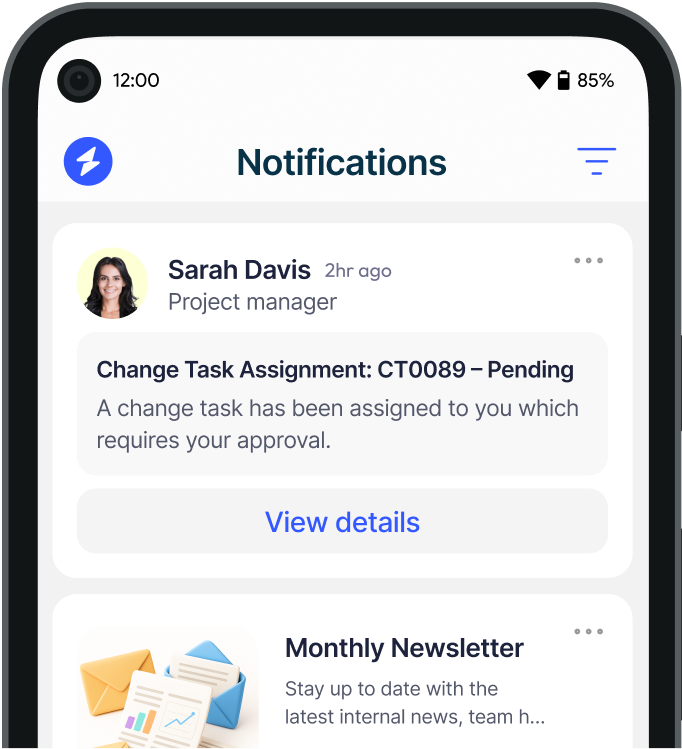
Heed delivers alerts through its own desktop client and infrastructure, not through Exchange Online or Teams. Microsoft Entra ID is used only when a user first signs in. After that, each client holds a Heed-issued token, so alerts and acknowledgement tracking continue during an email, chat or identity outage.
Against the five tests:
- Delivery path: desktop alerts appear over any open application through an installed client. Nothing routes through a mailbox.
- Hosting: Heed runs on-premises on servers you control, or in regional cloud hosting, and is ISO 27001 certified.
- Sign-in: signed-in devices keep receiving alerts if Microsoft Entra ID is unavailable.
- Reach: the same message can go to lock screens, desktop tickers, digital signage, SMS and the mobile app.
- Proof: acknowledgement tracking records who confirmed each alert, with a name and a timestamp.
Alerts can also be triggered automatically from ServiceNow, or through Kafka, an API or webhooks. Communication then starts from the major incident record, not from an inbox. Our IT outage notification software page sets out how this works for IT teams.
Heed is all-in-one internal communication software, used every day for company news, surveys and campaigns. That matters in an outage. The client is already on every desktop and employees already recognise it, so nothing has to be rolled out under pressure.
What should IT teams do before the next outage?
Map which communication tools depend on the same platform, choose one channel that does not, and rehearse using it. A plan that has never been tested with email and chat switched off is an assumption. Four steps will show where your organisation stands.
- Map the dependencies. List every channel in your incident plan with the platform, identity provider and network it relies on. Mark any that share a dependency with email.
- Set the communication objective. Agree how quickly staff must be informed and who sends the first message.
- Prepare the message in advance. Write and approve outage templates and target groups now. Our incident response communication guide and crisis communication plan include examples.
- Run a drill. Treat email and Teams as unavailable, send a test alert, and measure how long every site takes to acknowledge it.
You can run that drill with Heed. Start a 14-day free trial, send real alerts to your own devices, and see who acknowledges them without relying on email.