Change management communication decides whether a change is understood or resisted. Changes often stall for the same reasons: employees hear about them from colleagues before their manager, the reasons for the change are never explained, and the only channel used is an all-staff email that is skimmed and forgotten. A change management communication plan fixes this by setting out who needs to hear what, from whom, through which channel and when, before the first announcement goes out. This guide explains what to include, gives a ready-to-copy plan template and example messages, and shows how the plan fits beneath your wider internal communications strategy and internal communication plan.

A change management communication plan is a schedule of the messages needed to take employees through a specific change, from the first announcement to the point where the new way of working is normal. For each phase it lists the audience, the key message, the sender, the channel, the timing, how employees can respond and who owns each message.
It differs from a general internal communication plan in two ways. It covers one change rather than a whole year, and it is built around the stages people move through as they adjust, so the messages change as the project moves from announcement to go-live and beyond.
Employees cannot support a change they do not understand. Clear communication explains why the change is happening, what it means for each person and what they need to do, and it gives people a way to ask questions. Without it, rumour fills the gap, managers are caught unprepared and adoption slows, even when the change itself is sound.
Who sends each message matters as much as what it says. In Prosci research on best practices in change management, 58% of employees said they prefer to hear about the personal impact of a change directly from their supervisor, while most want to hear the business reasons from the chief executive. A good plan therefore splits each change into the why, which comes from senior leaders, and the what it means for me, which comes from line managers.
Senior leaders should explain why the change is happening and how it connects to the direction of the business. Line managers should explain what it means for their team and each person in it. The project team should cover the practical detail: dates, training and support. Internal communications coordinates timing, channels and consistency across all of them.
| Sender | What they communicate | Typical channels |
|---|---|---|
| Chief executive or executive sponsor | Why the change is happening, why now, and what success looks like | All-staff announcement, town hall, video message |
| Line managers | What the change means for the team and each role, and answers to individual questions | Team meetings, one-to-ones, manager talking points |
| Project or change team | Dates, training, systems access, where to get help | Desktop alerts, intranet pages, FAQs, email |
| HR | Changes to roles, contracts, policies or working patterns | Individual letters, policy acknowledgement, HR drop-in sessions |
| Internal communications | The overall schedule, consistency of messages and feedback reporting | Newsletter, digital signage, screensavers, pulse surveys |
Copy the template below into a spreadsheet and add one row per message. The example rows show a typical change, the move to a new expenses system, across five phases. Replace them with your own change, audiences and dates, and keep the columns.
| Phase | Audience | Key message | Sender | Channel | Timing | Feedback route | Owner |
|---|---|---|---|---|---|---|---|
| 1. Prepare | Senior leaders and line managers | What is changing, why, and their role in explaining it | Executive sponsor | Manager briefing session and talking points | Three to five days before announcement | Questions logged at briefing | Change lead |
| 2. Announce | All employees | Why we are changing the expenses system, what will happen and when | Chief executive | All-staff email, desktop alert, intranet article | Announcement day | Anonymous question form | Internal communications |
| 2. Announce | Affected teams | What it means for your team and your next steps | Line managers | Team meetings | Within two working days of announcement | Questions raised in team meeting, passed to change team | Line managers |
| 3. Prepare to adopt | Everyone who submits expenses | Training dates, how to log in, where to get help | Project team | Desktop alert with acknowledgement, email, desktop ticker | Two weeks and one week before go-live | Training attendance and acknowledgement report | Project team |
| 4. Go-live | Everyone who submits expenses | The new system is live today: how to submit your first claim | Project team | Desktop alert, lock screen, digital signage | Go-live morning | Help desk tickets | Project team |
| 5. Embed | All employees | What has improved, what we have changed based on your feedback | Executive sponsor | Newsletter, screensaver, pulse survey | Four to six weeks after go-live | Pulse survey results | Internal communications |
A plan for a medium-sized change usually takes a week or two to draft. Most of that time goes on steps 1 to 3, because the messages are only as good as your understanding of who is affected and how.
The example messages below follow the expenses system change in the template. Adapt the details and keep the structure: reason first, then impact, then action.
Subject: Briefing: new expenses system (please read before 12 March)
We are replacing our expenses system on 2 April. The current system is no longer supported, claims take an average of three weeks to pay, and finance teams re-key most of the data by hand. The new system pays approved claims within five working days.
Please hold a short team conversation within two working days of the announcement on 12 March. Use the attached talking points and answer sheet. If a question is not covered, send it to the change team and we will reply within one working day.
You are hearing this before your team so that you can answer their questions. Please keep it confidential until 12 March.
Subject: We are changing how you claim expenses
From 2 April, all expense claims will move to a new system. We are making this change because the current system is slow, hard to use on mobile and takes too long to pay you back. With the new system, approved claims will be paid within five working days.
Your manager will talk to your team about what this means for you over the next two days. Training sessions open on 19 March, and you can submit claims in the current system until 31 March.
Questions? Use the question form on the intranet. We will publish answers every Friday.
The new expenses system is live today. Log in with your usual work account and submit your first claim in under five minutes.
Need help? Open the quick guide or contact the help desk. Please click Acknowledge to confirm you have read this message.
Six weeks on: how is the new expenses system working for you?
Three quick questions, under one minute. Your answers will decide what we improve next, and we will share the results in the next newsletter.
Treat resistance as information rather than opposition. Ask employees what concerns them, answer honestly, including when the answer is not yet known, and show what changed as a result of their feedback. Most resistance comes from uncertainty about personal impact, so make sure line managers can explain what the change means for each role.
Track the questions and concerns you receive by audience and theme. If one team raises the same concern repeatedly, the issue is usually missing information or a manager who has not been briefed, and a targeted message to that team will do more than another all-staff update.
The most common mistakes are announcing before managers are briefed, explaining what is changing without explaining why, relying on a single all-staff email, communicating only at the start and the end, and offering no way to ask questions. Each one leaves a gap that rumour and frustration fill, which slows adoption of the change.
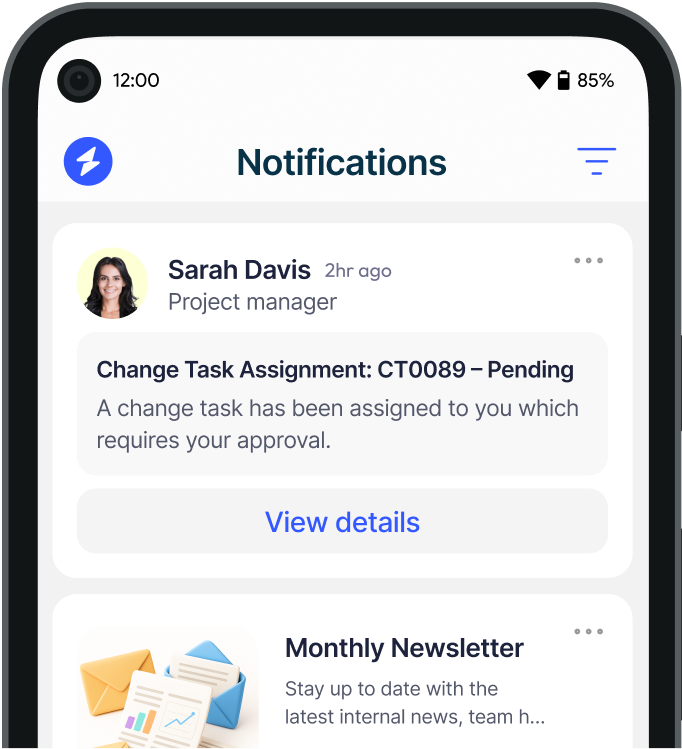
A change plan relies on reaching each audience through a channel they will actually see, and on knowing who has read the messages that matter. Heed is an internal communications platform that manages desktop alerts, desktop tickers, lock screens, screensavers, digital signage, mobile push, SMS and email from one console. Messages can be targeted by department, location or role using Active Directory and single sign-on, and mandatory messages can require a named, timestamped acknowledgement, so you can see which teams have read a go-live notice before the deadline rather than estimating from email open rates.
For the embed phase, Heed Survey delivers short pulse surveys straight to employees' screens, so you can measure how the change has landed. Heed is available as a true on-premises installation or with regional cloud hosting, and is backed by ISO 27001 certification. If the change is unplanned, such as an outage or incident, see our crisis communication strategy guide.
Planning a major change? Book a demo to see how Heed delivers each phase of your change communication to the right employees and shows who has read it.
See how Heed streamlines internal communication across desktop, mobile, and shared screens - so every message gets noticed.
We’ll walk you through creating, targeting, and tracking notifications in real time, tailored to your organisation’s goals.
Schedule a Demo
See how Heed works across your channels, sites and shifts, and get answers to the questions specific to your industry and team size.
Schedule a Demo


Talk to us about keeping your employees informed, engaged and inspired - book a call today!
Book a Call
Proudly connecting teams worldwide, enhancing communication, and boosting employee engagement for a unified workforce.


© Heed 2026 - All Rights Reserved