
Internal communication email templates save time on the messages every organisation sends again and again: announcements, policy changes, leadership updates, reminders and invitations. The problem is rarely writing the email; it is that a rushed all-staff message buries the point, and people skim past it. The 12 templates on this page put the action and the deadline first, so employees can understand each message from the subject line and the opening sentence. For ideas on regular, longer-form content, see our employee newsletter ideas.
An internal communication email is a message sent from one part of an organisation to its own employees, such as an all-staff announcement, a policy update, a leadership message or a reminder. Unlike customer email, its purpose is to inform, prompt action or keep people connected, and it is judged by whether employees read and act on it.
Email remains the default internal channel because everyone has an address and messages can be found again later. ContactMonkey's Internal Email Benchmark Report 2026, based on more than 255,000 internal email campaigns, puts the average open rate at 76% and the average click rate at 9%. An opened email is not always a read one, so structure matters as much as reach.
A good internal email has one purpose, a subject line that states it, an opening sentence that says what the reader needs to know or do, and a clear deadline if one applies. It is short enough to read in under a minute, names a recognised sender and tells people where to go with questions.
Replace everything in [square brackets]. Each template has a suggested use, a subject line and a short body that leads with the action or the news. Keep the structure and adjust the tone to suit your organisation.
Use for news that affects everyone, such as a new office, a new client win or a change to opening hours.
Subject: [Announcement in a few words]: what it means for you
Hello everyone,
[One sentence stating the news.] This takes effect from [date].
What this means for you: [the practical impact, in one or two sentences].
What you need to do: [nothing / the action and deadline].
You can read more on [intranet page or link]. Questions to [name, mailbox or channel].
[Sender name and role]
Send at least two weeks before a new or changed policy takes effect. Ask for acknowledgement if the policy is mandatory.
Subject: Policy update: [policy name] changes from [date]
Hello,
From [date], our [policy name] is changing. The main change is: [one-sentence summary].
What is changing: [two or three short points].
What is not changing: [anything people may worry about].
What you need to do: read the updated policy at [link] and confirm you have read it by [date].
If you have questions, contact [HR, legal or policy owner].
[Sender name and role]
A regular message from the chief executive or a senior leader. Monthly or quarterly works for most organisations.
Subject: [Month] update from [leader name]: [main theme]
Hello everyone,
[One sentence on the most important thing that happened this period.]
Where we are: [progress against two or three priorities, with one figure each if you have them].
What is next: [the focus for the coming period].
Thank you: [specific recognition of a team or piece of work].
I would like to hear what you think. Reply to this email or join [Q&A session] on [date].
[Leader name and role]
For restructures, new reporting lines or team mergers. Brief affected people and their managers first, then send this to everyone.
Subject: Changes to [team or structure] from [date]
Hello,
We are making changes to [team or structure], which take effect from [date].
Why: [the reason, in plain terms].
What changes: [new structure, roles or reporting lines].
Who is affected: [teams or groups]. If you are directly affected, your manager has already spoken to you or will do so by [date].
Support: [where to find FAQs, who to contact, any drop-in sessions].
[Sender name and role]
Send when a deadline is approaching for training, timesheets, benefits enrolment or similar.
Subject: Action needed by [day, date]: [task]
Hello,
Please [complete the task] by [time] on [day, date].
How: [link and the steps, in two or three lines].
Why it matters: [the consequence of missing the deadline, stated calmly].
If you have already done this, thank you, and you can ignore this reminder.
Need help? Contact [name, mailbox or channel].
Send two to three weeks ahead for in-person events, and one week ahead for online sessions. Follow up with a reminder the day before.
Subject: You are invited: [event name], [day, date]
Hello,
Join us for [event name] on [day, date] from [start] to [end] [time zone] at [venue or link].
What to expect: [agenda highlights or speakers].
Who should attend: [everyone / specific teams].
Register by: [date] at [link].
[Sender name and team]
For building works, parking changes, facilities closures or health and safety reminders at a specific site.
Subject: [Site name]: [change] from [date]
Hello [site name] colleagues,
From [date], [the change, for example the main entrance will close for repairs].
What to do instead: [the alternative, such as use the side entrance on (street)].
How long: until [date], or until we confirm otherwise.
Questions to [facilities contact].
A short email for planned IT work. For the full sequence of reminders, overrun and completion messages, use our maintenance message templates.
Subject: [System] unavailable [day, date], [start] to [end] [time zone]
Hello,
[System] will be unavailable on [day, date] from [start] to [end] [time zone] for scheduled maintenance.
What to do beforehand: [save your work and log out / download files you will need].
We will confirm when the work is complete. For urgent help, contact [service desk].
[IT team name]
Send when a phishing campaign or scam is targeting staff. Keep it short and specific, and never include a live malicious link.
Subject: Security alert: [type of scam] emails targeting staff
Hello,
We are aware of [phishing emails / calls / messages] that claim to come from [sender they impersonate] and ask you to [what they ask for].
How to spot it: [one or two tell-tale signs].
What to do: do not click any links or reply. Report it using [report button or mailbox] and then delete it.
If you have already clicked: contact [security team or service desk] straight away on [number].
[Security team name]
Send when a staff survey opens, with one reminder before it closes. Say how results will be shared.
Subject: [Survey name]: [number] minutes to tell us what you think
Hello,
Our [survey name] is open until [day, date]. It takes about [number] minutes.
Why it matters: last time, your feedback led to [one specific change].
Confidentiality: [how responses are handled, for example results are reported only for groups of (number) or more].
Take the survey here: [link]. We will share the results by [date].
[Sender name and role]
Celebrate a specific achievement soon after it happens. Agree the wording with the people named before sending.
Subject: Thank you, [team or person]: [achievement]
Hello everyone,
I want to recognise [team or person] for [specific achievement].
What they did: [two or three sentences on the work and the result].
Why it matters: [the impact on customers, colleagues or the organisation].
Please join me in thanking them. [Optional: reply-all is not needed, but you can congratulate them on (channel).]
[Sender name and role]
A single digest of smaller updates, sent on the same day each week, so people know where to find them.
Subject: This week at [organisation]: [top item]
Hello,
Here is what you need to know this week.
Action needed: [any deadline, with a link].
News: [two or three one-line updates, each with a link].
Coming up: [events or changes in the next two weeks].
Shout-out: [one piece of recognition].
Have something for next week? Send it to [mailbox] by [day].
State the topic and any action or deadline in the subject line, so employees can understand the email without opening it. Lead with the most important words, such as "Action needed by Friday" or "Policy update", keep it short enough to read on a phone, and avoid vague subjects such as "Update" or "Important information".
| Instead of | Try |
|---|---|
| Important update | Policy update: travel expenses change from 1 March |
| Reminder | Action needed by Friday 14 March: complete data protection training |
| News from the CEO | March update from [leader name]: three priorities for the quarter |
| Office information | Leeds office: main entrance closed 3 to 7 March |
| Please read | Security alert: fake invoice emails targeting finance staff |
Send routine internal emails at a consistent time each week, mid-morning or early afternoon on a working day, and avoid Monday mornings and the end of Friday unless your own data says otherwise. Send urgent messages straight away, and test timing against your own open and click data rather than relying on one benchmark.
Benchmarks vary by region. The ContactMonkey 2026 benchmark reported the best send times as Fridays at 3pm in Europe and Tuesdays at 10am in North America, local time. It also found that around 84% of internal email engagement happens on desktop, so check how each template looks on a laptop screen as well as a phone.
Email is the wrong channel when a message is urgent, must be seen within minutes or needs proof that each person has read it. It is also the wrong channel when the email system itself is affected. In those cases, use a desktop alert, SMS or a channel that does not depend on employees checking their inbox.
A security incident, a site closure or an IT outage cannot wait for someone to open their inbox. Our comparison of desktop alerts and email for urgent communication sets out when each works best, and our guide to communicating when the outage is the channel covers what to do when email itself is down. For planned communication, map each message to a channel in your internal communication plan.
Heed is all-in-one internal communication software that connects with and engages employees across desktop, mobile and digital signage. Its internal email software includes a drag-and-drop email template builder with reusable branded templates, so the structures on this page can be saved once and reused by every team without coding. You can add images, buttons and video, customise headers and footers, schedule sends for later and segment your audience.
Email reporting and analytics show open rates, click-throughs and engagement, so you can see which subject lines and send times work for your organisation. When a message cannot wait for the inbox, the same platform can send a desktop alert with acknowledgement tracking, and run a staff survey for the invitation in template 10. For change programmes, pair these templates with our change management communication plan. Want to turn these templates into branded, trackable emails? Start a free trial and try the email builder for yourself.
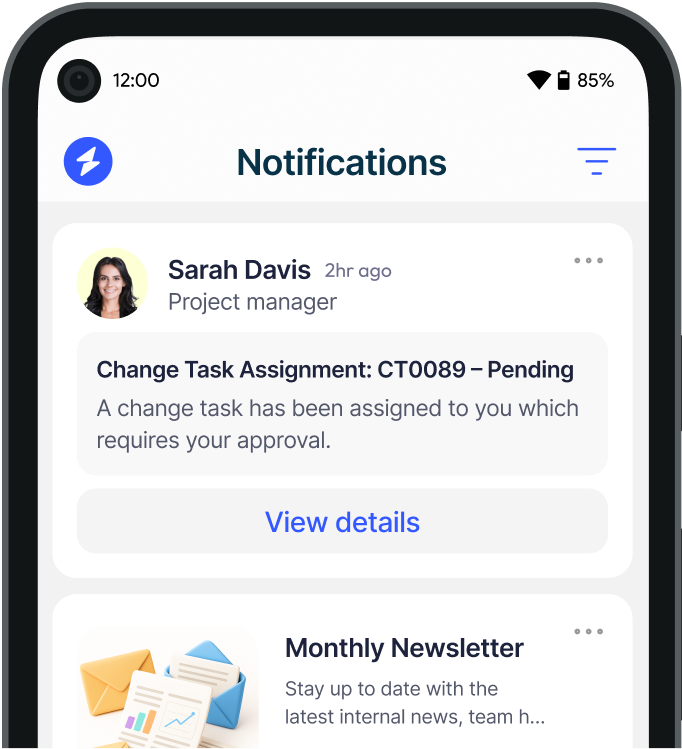
See how Heed streamlines internal communication across desktop, mobile, and shared screens - so every message gets noticed.
We’ll walk you through creating, targeting, and tracking notifications in real time, tailored to your organisation’s goals.
Schedule a Demo
See how Heed works across your channels, sites and shifts, and get answers to the questions specific to your industry and team size.
Schedule a Demo




Talk to us about keeping your employees informed, engaged and inspired - book a call today!
Book a Call
Proudly connecting teams worldwide, enhancing communication, and boosting employee engagement for a unified workforce.


© Heed 2026 - All Rights Reserved


